Industrial Brush Maintenance Checklist for Plant Managers
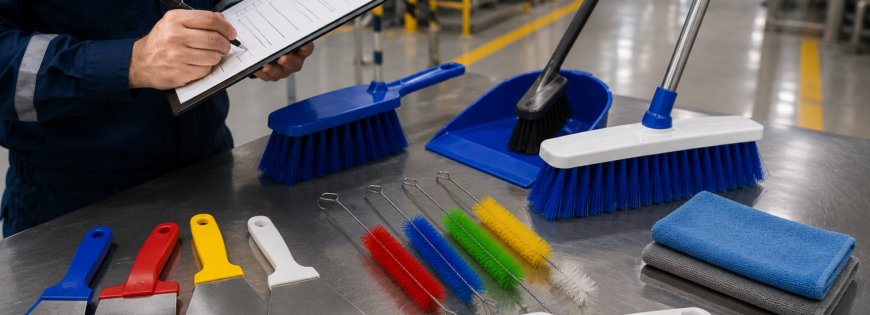
Industrial brushes are easy to overlook — until worn bristles start causing inconsistent cleaning, product damage, or unplanned line stoppages. A structured maintenance routine extends brush life, protects downstream equipment, and prevents the kind of gradual performance drop that often goes unnoticed until it becomes a production problem. Here’s a practical checklist for plant managers to build into routine maintenance schedules.
1. Inspect Bristle Wear Weekly
Check bristle length and condition against the original specification. A general rule: if bristle length has worn down more than 20–25% from original, cleaning or conveying effectiveness starts dropping noticeably, even if the brush still “looks fine” at a glance. Log wear rates over time — a brush wearing faster than expected often signals a misalignment or excessive contact pressure issue upstream, not a brush quality issue.
2. Check for Uneven Wear Patterns
Uneven wear across the width of a strip or roller brush usually points to installation misalignment, an uneven surface it’s contacting, or incorrect mounting pressure. Catching this early prevents replacing the brush while leaving the root cause unaddressed — which just leads to the replacement wearing unevenly too.
3. Clean Debris Buildup Regularly
Trapped debris, fibers, or material residue in the bristle base reduces flex and effectiveness, and in some environments (especially food, pharma, or fine particulate settings) creates contamination risk. Build debris removal into daily or shift-based cleaning routines depending on your production environment.
4. Verify Mounting and Backing Integrity
Check the backing material (metal channel, wood, or plastic strip) for corrosion, cracking, or loosening — a compromised backing will cause bristles to shed or misalign even if the bristle material itself is in good condition. This is especially important in wash-down or high-moisture environments where backing corrosion is a common failure point.
5. Match Replacement Cycles to Actual Usage Data, Not Assumptions
Many plants replace brushes on a fixed calendar schedule regardless of actual wear, which either wastes budget on premature replacement or risks running a brush past effective life. Track wear against operating hours or cycle counts instead, and adjust replacement intervals based on real data specific to your line speed and material.
6. Confirm Bristle Material Still Matches the Application
Operating conditions change — a new product line, a change in surface material, or a shift to a harsher cleaning chemical can mean the originally specified bristle material (nylon, polypropylene, steel wire, or natural fiber) is no longer the right fit. Periodically reassess whether your current brush spec still matches current operating conditions, not just what was specified at initial installation.
7. Keep a Maintenance Log Per Brush Location
Individual brush stations often wear at different rates depending on their specific role in the line. A per-location log makes it easier to spot patterns, plan replacements proactively, and identify which stations may need a different bristle spec entirely rather than a like-for-like replacement.
Why This Matters Beyond the Brush Itself
Worn or misaligned industrial brushes don’t just underperform in isolation — they can damage product surfaces, leave debris downstream, or force line speed reductions to compensate for reduced effectiveness. A consistent inspection routine, even a simple weekly walk-through with this checklist, catches problems while they’re still cheap and easy to fix.
If you’re seeing wear patterns that don’t match expected life, it’s often worth reviewing the original bristle material and mounting spec with your supplier rather than defaulting to a straight replacement — the issue may be a spec mismatch, not a quality issue.